

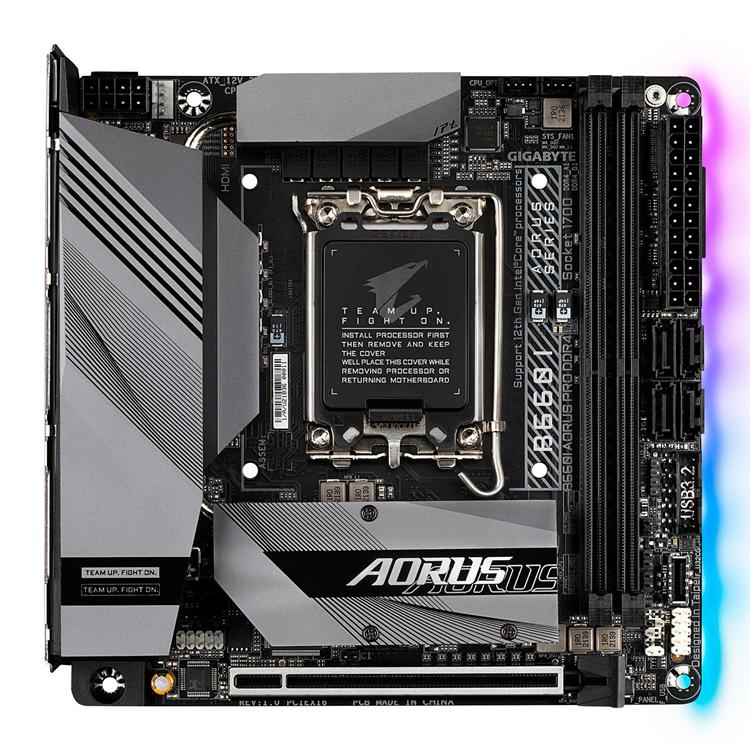
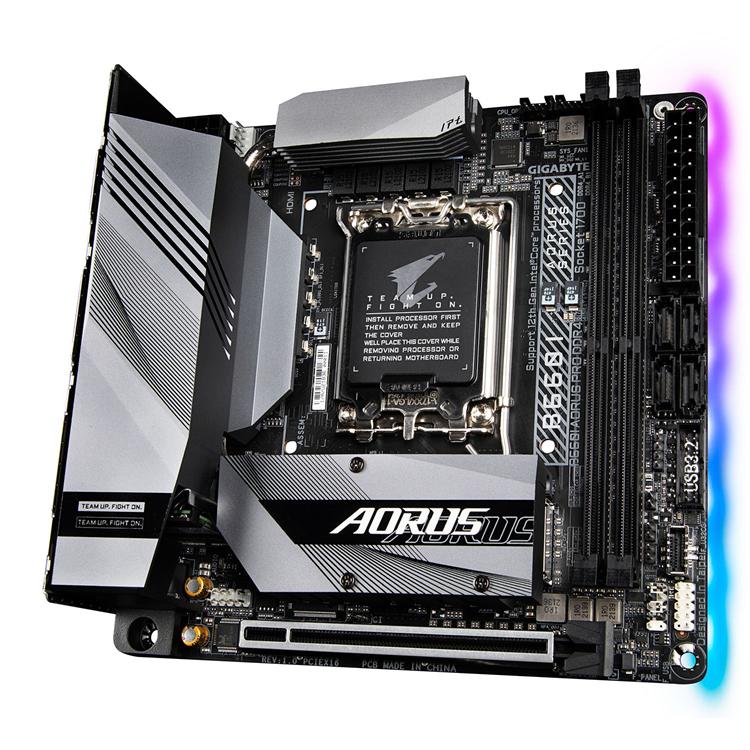
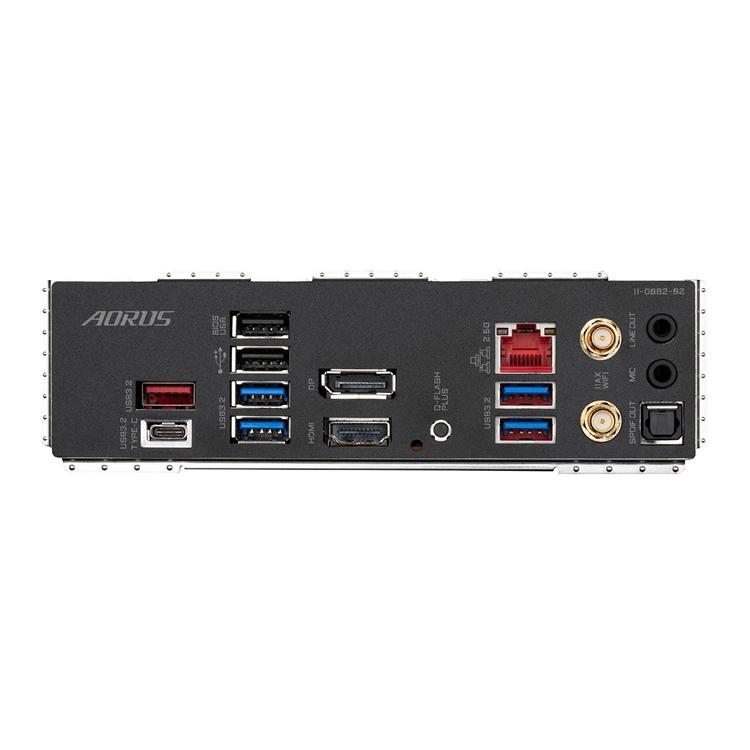
Description
Rule supreme with the B660 AORUS gaming motherboards. The new king of gaming platform continues the legendary AORUS bloodline with the most robust power delivery and dominant thermal design, glorified with the complete memory overclocking technology to crown your PC with the best Alder Lake’s performance in all its gaming glory. This Mini-ITX motherboard boasts an upgraded Direct 8+1+1 Phases Digital VRM Design, Ultra-fast Gen4 m.2, PCIe 4.0 support, Wi-Fi 6 AX & 2.5GbE gaming LAN, Type-C connectivity and a fully comprehensive I/O panel. Product longevity is of upmost important to gigabyte; thats why they have included only the best components they can find and reinforce every slot to make each of them solid and durable. Make this motherboard your own with full RGB Fusion 2.0 support; now offering more LED customisations than ever, users can truly adapt their PC to represent their lifestyle with full RGB support and a redesigned RGB Fusion 2.0 application, the user has complete control over the LEDs which surround the motherboard.
Intel B660 Chipset
LGA 1200 CPU Socket
12th Generation Intel Intel Processors
M-ITX Form Factor
Cleaner and more Efficient Power Delivery to the CPU
To unleash the full potential of multi-cores CPU performance.
1 VCCGT PHASE
For CPU and integrated GPU performance.
1 VCCGT PHASE
Provides stable power for CPU, integrated PCIe & Memory controller.
PREMIUM CHOKE AND CAPACITOR DESIGN
With technology moving so fast, GIGABYTE still keep up with the latest trends and provide their customers with advanced features and the latest technologys. GIGABYTE B660 Series motherboards come with upgraded power solution, latest storage standards and outstanding connectivity to enable optimised performance for gaming and ensure you squeeze every ounce of performance out of the latest 12th Generation Intel processors.
A Fully Comprehensive Cooling Solution
INTELLIGENT FAN CONTROL DESIGN
Smart Fan 6 contains several unique cooling features that ensure gaming PC maintain its performance while staying cool and quiet. Multiple fan headers can support PWM/DC fan and pump, and users can easily define each fan curve based on different temperature sensors across the board via intuitive user interface. With Fan Stop, map any fan to stop completely when temperatures drop below a specified threshold. Which fan stops, based on readings from which sensor, and at what temperature – all of it can be customised to your liking.
6 Internal Temperature Sensors
Superior Support for DDR4 XMP
With new Intel Hybrid technology, GIGABYTE exclusively creates two new “CPU Upgrade” in BIOS profiles to meet different users’ scenarios by adjusting P-Core and E-Core activation and voltage policy.
UP TO 5333MHZ AND BEYOND*
AORUS is offering a tested and proven platform that ensures proper compatibility with profiles up to 5333MHz and beyond. All users need to do to attain this performance boost is to ensure that their memory module is XMP capable and that the XMP function is activated and enabled on their AORUS motherboard.
PCIE 4.0 X4 M2
AORUS motherboards offer the industry’s best compatibility in terms of NVMe storage for users who demand high capacity and seek the best performance. Upgrade with the latest 2nd generation Gen4 SSD, the performance is up to 7000MB/s which is up to 2x faster than PCIe 3.0 SSD.
Superspeed Your Network
Latest Wireless solution 802.11ax WIFI 6 with new dedicated 6GHz band, enables gigabit wireless performance, provides smooth video streaming, better gaming experience, few dropped connections and speeds up to 2.4Gbps*. Moreover, Bluetooth 5 provides 4X range over BT 4.2 and with faster transmission.
Illuminate your PC with RGB Fusion 2.0
B660 motherboards feature RGB FUSION 2.0 to offer lighting effected options and customised settings with outstanding aesthetics, and able to let enthusiasts building a stylish and unique gaming PC.
Durability for Years to Come
With GIGABYTE Q-Flash Plus, you don’t need to install the CPU, memory and graphics card nor enter the BIOS menu to flash the BIOS. Just download and save a new BIOS file (rename to gigabyte.bin) on the USB flash drive, then press the dedicated Q-Flash Plus button and you’re good to go!
STEP 1
Plug the 24-pin & 8-pin power supply cable into the motherboard.
STEP 2
Download and unzip the motherboard’s compressed BIOS file and rename to “gigabyte.bin”, save to a USB flash-drive, and plug it into the Q-Flash USB port.
STEP 3
Press the Q-Flash button, and the motherboard will start updating the BIOS automatically.
Take Control of your Motherboard
REFRESHED BIOS
The BIOS is essential for users during initial setup to allow for the most optimal settings. With a new GUI and easier to use functionalities, GIGABYTE has been able to reinvent the BIOS to give users a better experience while setting up their new system. * Photos are for reference only. Product features may vary by model.
Specifications
| Core Specifications | |
|---|---|
| Edition | B660I AUROS PRO DDR4 |
| Form Factor | Mini-ITX |
| CPU Socket | 1700 |
| Chipset | Intel B660 |
| RAM Memory Support | |
|---|---|
| Memory Type | DDR4 |
| Memory Channel | Dual (2) |
| Memory Type (ECC) | Non-ECC |
| Memory Type (R/U) | UDIMM (Unbuffered) |
| Memory Speed (Mhz) |
|
| Max. Memory Capacity | 64GB (2x32GB) |
| Audio | |
|---|---|
| Audio | Realtek ALC897 7.1 HD Audio |
| Graphics Support | |
|---|---|
| Primary GPU Interface | PCIe 4.0 (x16) |
| NVIDIA SLI Support | N/A |
| AMD CrossFire Support | N/A |
| Integrated Graphics | Requires Processor Graphics or Discrete GPU |
| On-Board Graphics Connectors |
|
| Internal Connectivity | |
|---|---|
| Expansion Slots |
|
| SATA Support | N/A |
| RAID Support via | |
| Storage Mode Support |
|
| Internal I/O |
|
| External Connectivity | |
|---|---|
| Network Interface Type |
|
| Network Chip/Modules |
|
| Rear I/O Connectors |
|
| Additional Specifications | |
|---|---|
| Water Cooled | No |
| Cooling | Passive Heatsinks |
| QPI Speed | N/A |
| Board Dimensions | 170 x 170 mm |
| Note | |

Reviews
There are no reviews yet.