

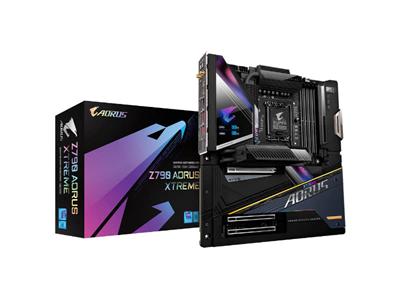
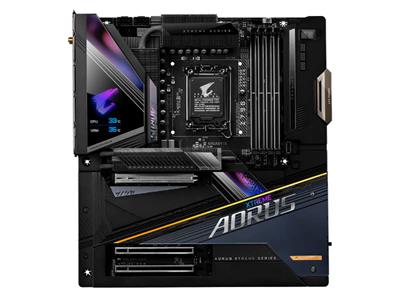
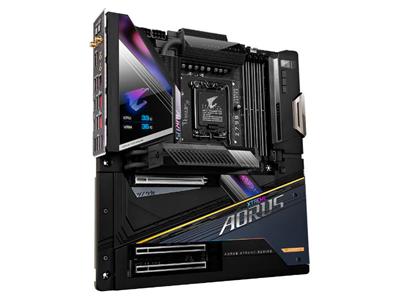
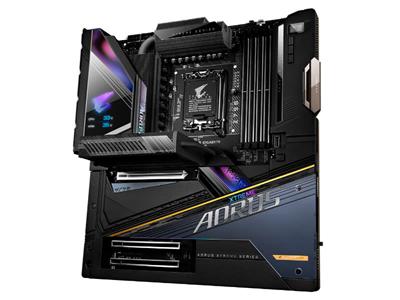
Gigabyte Z790 Aorus Xtreme Intel LGA1700 DR5 E-ATX Desktop Motherboard
R29884.00 Incl. Vat
 Or as low as
 Out of stock
KEY FEATURES:
– Intel Z790 Chipset
– Socket LGA1700
– Supports Intel 12th and 13th Generation CPUs (Alder Lake and Raptor Lake)
– 4 x DDR5 DIMM Slots
– 1 x PCI-Express 5.0 Slot + 2 x PCI-Express 3.0 Slots
– Graphics Output: Thunderbolt 4
– ESSential Hex Audio Card
– Marvell AQtion AQC107 10G LAN + Intel I226-V 2.5G LAN
– Intel WiFi 6E AX411+ Bluetooth 5.3
– 1 x PCIe 5.0 x4 M.2 Socket + 4 x PCIe 4.0 x4 M.2 Sockets + 4 x SATA3 6.0 Gb/s Ports
Description
Gigabyte Z790 Aorus Xtreme Intel LGA1700 DR5 E-ATX Desktop Motherboard
Z790 AORUS XTREME
GIGABYTE Z790 AORUS Xtreme Motherboard: Ascend the Throne of Gaming with the Z790 AORUS XTREME
With the fast-moving technology changes, GIGABYTE always follows the latest trends and provides customers with advanced features and latest technologies. GIGABYTE motherboards are equipped with upgraded power solution, latest storage standards and outstanding connectivity to enable optimized performance for gaming.
-
- Supports 13th and 12th Gen Intel® Core™ Series Processors
-
- Unparalleled Performance: Direct 20+1+2 Phases Digital VRM Solution
-
- Dual Channel DDR5: 4x SMD DIMMs with XMP 3.0 Memory Module Support
-
- Next Generation Storage: 1*PCIe 5.0 x4 and 4*PCIe 4.0 x4 M.2 Connectors
-
- Fins-Array III & M.2 Thermal Guard Xtreme II: To Ensure VRM Power Stability & 25110 PCIe 5.0 M.2 SSD Performance
-
- EZ-Latch Plus: SMD PCIe 5.0 x16 Slot & M.2 Connectors with Quick Release & Screwless Design
-
- Hi-Fi Audio with DTS:X® Ultra: ALC1220 CODEC and Rear ESS SABRE Hi-Fi 9118 DAC with Front ESSential USB DAC Bundled
-
- Fast Networks: Marvell® AQtion 10GbE LAN & Intel® Wi-Fi 6E 802.11ax with DCT
-
- Extended Connectivity: Intel® Thunderbolt 4 onboard
-
- Smart Fan 6: Features Multiple Temperature Sensors, Hybrid Fan Headers with FAN STOP and Noise Detection
Features
UNPARALLELED PERFORMANCE
Direct Digital VRM Design
To ensure maximum Turbo Boost and overclocking performance of Intel’s new generation CPU, GIGABYTE AORUS series motherboard equip the best VRM design ever built with the highest quality components.
Deign Ready for PCIe 5.0
The PCIe 5.0 Design supports double the bandwidth of PCIe 4.0 and ensures that compatible with cutting-edge SSDs and GPUs released in the next few years to their full capability.
DDR5 Overclocking Up to DDR-8000 and Beyond
offering a tested and proven platform that has memory overclocking capability up to 8000 and beyond. For DDR5 XMP Memory, all users need to do to attain high memory performance boost is to ensure that their memory module is XMP capable and that the XMP function is activated and enabled on their AORUS motherboard.
Gigabyte PerfDrive
PerfDrive technology integrates multiple GIGABYTE exclusive BIOS settings to allow users to balance between different levels of performance, power consumption, and temperature according to their needs easily when using 13th Gen Intel® Core™ Processors.
OUTSTANDING THERMAL DESIGN
Xtreme Thermal Design
GIGABYTE Motherboards’ unparalleled performance is guaranteed by innovative and optimized thermal design to ensure the best CPU, Chipset, SSD stability and low temperatures under full load application and gaming performance.
Fins-Array III
Gigabyte’s third gen Fins-Array III delivers the ultimate thermal performance by using Extended Irregular fins to fill all available space and vastly increases surface area. A piece of Fins-Array III heatsink surface area is larger than 2 full size ATX motherboard PCB, therefore it tremendously boost thermal efficiency and heat exchange performance.
M.2 Thermal Guard Xtreme II
The most powerful built-in M.2 heatsink brings you remarkable Gen 5 SSD throttle-free performance!
Smart Fan 6
You get several unique cooling features that ensure gaming PC maintain its performance while staying cool and quiet. Multiple fan headers can support PWM/DC fan and pump, and users can easily define each fan curve based on different temperature sensors across the board via intuitive user interface.
Connectivity
GIGABYTE Motherboards enable the ultimate connection experience with blazing data-transfer speeds through the next generation network, storage, and WIFI connectivity.
Wi-Fi 6E Wireless
The latest Wireless solution 802.11ax Wi-Fi 6E with new dedicated 6GHz band, enables gigabit wireless performance, provides smooth video streaming, better gaming experience, few dropped connections and speeds up to 2.4Gbps. Moreover, Bluetooth 5 provides 4X range over BT 4.2 and with faster transmission.
Marvell® AQtion 10GbE BASE-T Networking
The Marvell® AQtion AQC113C is a high-performance, backward compatible with 10GBASE-T / 5GBASE-T / 2.5GBASE-T / 1000BASE-T/ 100BASE-TX Ethernet Controller which is able to provide up to 10 GbE network connectivity, 10x faster transfer speeds compared to general 1GbE networking and is perfectly designed for media centers, workstations and gamers.
Dual Thunderbolt™ 4 – The fastest 40Gb/s single-wire connection!
Powered an Intel Thunderbolt™ controller the new Thunderbolt™ 4 protocol, which is available on 2x USB Type-C Connectors on the back I/O of the GIGABYTE Z790 AORUS XTREME, brings an unprecedented single-wire bandwidth of up to 40 Gb/s; 2x fster than USB 3.2 Gen2x2! This incredible increase in bandwidth is also accompanied with support for different protocols such as DisplayPort 1.4a* and it is compliant with the new USB 4 Type-C Standard, which is backwards compatible with USB 3.2 Gen1 and USB 2.0, opening up a world of new possibilities for faster data transfers.
Thunderbolt™ 4 Daisy-chains to Multiple Devices
Support for DisplayPort 1.4 makes Thunderbolt™ 4 a must have for any enthusiast. The Z790 AORUS XTREME is able to support two displays in 4K resolution at 60 FPS or one display in 8K resolution. In addition, Thunderbolt™ 4 over USB Type-C has revolutionary industry-first features such as Power Delivery 2.0, USB4 specification compliance, and the ability to daisy-chain up to 10 devices thanks to the Z790 AORUS XTREME’s 2x USB Type-C ports.
Play it by Ear
ESSential HEX USB DAC reduces the pre-ringing and provides higher reverberation strength to achieve width and depth on the sound stage. The sound is clearly portrayed making directional sounds clearer and more accurate when playing FPS games.
PERSONALIZATION
Digital LCD Monitor
The all new Full Color 71mm / 2.8 inch LCD Displays the lighting patterns of AORUS Logo as well as real-time system information, including:
CPU Temperature
Memory Clock
CPU Clock
VRM Temperature
RGB Fusion Multi-Zone Light Show Design
Now offering more LED customizations than ever, users can truly adapt their PC to represent their lifestyle. With full RGB support and a redesigned RGB Fusion 2.0 application, the user has complete control over the LEDs which surround the motherboard.
Note: Actual LED Lighting Effects may vary by model.
-
- Friendly User Interface
The EASY MODE shows important hardware information in one page including CPU clock, Memory, Storage, Fan
- Friendly User Interface
-
- My Favorites
Add constantly used items into the favorite menu for quick access
- My Favorites
-
- Storage Information
Show all kinds of storage information including SATA, PCIE and M.2 interface
- Storage Information
-
- Changelog
List all changes before saving and exiting bios. Quickly review overall settings modification
- Changelog
-
- Intuitive Load Line Curve
Clearly show each loadline calibration setting in an intuitive curve graph.
- Intuitive Load Line Curve
GIGABYTE CONTROL CENTER
GCC is a unified software for all GIGABYTE supported products. It provides newly designed intuitive user interface to control all essential function.
-
- Unified software platform for all Gigabyte supported products
-
- Intuitive user interface for an eased experience
-
- Modularized control components only for installed hardware
-
- Auto update function to keep system up to date and support future products
Multi-Key
A multi-function reset button that can be reconfigured to other function in BIOS for different user scenarios.
-
- RGB Switch: Turn off all lighting effect on motherboard
-
- Direct-To-BIOS: Boot into BIOS menu directly without pressing any keyboard button
-
- Safe Mode: Boot into BIOS safe mode to change specific option without losing other BIOS settings
ULTRA DURABLE
GIGABYTE Ultra Durable™ design provides product durability and high-quality manufacturing process. GIGABYTE Motherboards use the best components and reinforce every slots to make each of them solid and durable.
EZ-Latch Plus
With GIGABYTE EZ-Latch Plus, you can DIY your PC in no time, quick and easy.
Q-Flash Plus: Update the BIOS easily without installing the CPU, memory and graphics card
With GIGABYTE Q-Flash Plus, you don’t need to install the CPU, memory and graphics card nor enter the BIOS menu to flash the BIOS. Just download and save a new BIOS file (rename to gigabyte.bin) on the USB flash drive, then press the dedicated Q-Flash Plus button and you’re good to go!
Additional Information:
Compatibility
Intel® Processor Support:
This Gigabyte Motherboard supports Intel® Core™ Processors for Socket 1700.
Operating System Support:
Requires Windows® 11 / 10, 64-bit
Specifications
| Make and Model | Gigabyte Z790 AORUS XTREME Motherboard |
|---|---|
| Part Number | Z790 AORUS XTREME |
| Operating System | Supports Windows® 11 / 10, 64-bit |
| Chipset | Intel® Z790 Express Chipset |
| CPU Support | Socket 1700 support for the 13th and 12th Generation Intel® Core™, Pentium® Gold and Celeron® Processors |
| Memory | 4x DDR5 DIMM RAM Sockets support 128 GB (4x 32GB) of system memory Support for Stock Clocked DDR5 RAM: DDR-4800 / 4000 MHz memory modules Support for Overclocked DDR5 RAM: DDR-8000 / 7950 / 7900 / 7800 / 7600 / 7400 / 7200 / 7000 / 6800 / 6600 / 6400 / 6200 / 6000 / 5800 / 5600 / 5400 / 5200 MHz memory modulesDual Channel memory architecture Support for non-ECC Un-buffered DIMM 1Rx8 / 2Rx8 / 1Rx16 memory modules Support for ECC Un-buffered DIMM 1Rx8 / 2Rx8 memory modules (operate in non-ECC mode) Support for Extreme Memory Profile (XMP) memory modules |
| Expansion Slots | 1x PCI Express x16 / x16 PCIe 5.0 Slot* * The PCIEX16 slot shares bandwidth with the M2C_CPU connector. The PCIEX16 slot operates at up to x8 mode when a device is installed in the M2C_CPU connector. For optimum performance, if only one PCI Express graphics card is to be installed, be sure to install it in the PCIEX16 slot. 1x PCI Express x16 / x4 PCIe 3.0 Slot 1x PCI Express x16 / x1 PCIe 3.0 Slot |
| Multi-GPU Support | Supports AMD CrossFire™ technology on the PCIEX16 and PCIEX4 slots (x16 / x4) |
| Onboard Graphics | 2x Intel® Thunderbolt™ 4 Connectors / USB 4.0 Type-C Combo ports* Supports DisplayPort v1.4 and Thunderbolt™ video outputs up to 5K UHD (5,120 x 2,880 @ 60Hz) with 24 bpp * Because of the limited I/O resources of the PC architecture, the number of Thunderbolt ™ devices that can be used is dependent on the number of the PCI Express devices being installed. |
| Storage | 5x M.2 Connector Slots: 1x M.2 connector PCIe 5.0 x4 25110 / 2280 (M2C_CPU) 3x M.2 connectors PCIe 4.0 x4 22110/2280 (M2P_SB, M2Q_SB) 1x M.2 connector SATA / PCIe 4.0 x4 2280/2260 (M2M_SB) All M.2 Ports support RAID 0, RAID 1, and RAID 10 (All M.2 Slots support Socket 3 and M Key technologies) 4x SATA III 6Gb/s connectors All SATA III Ports support RAID 0, RAID 1, and RAID 10 |
| USB | Rear Panel: 2x Thunderbolt 4 (40Gbps) / USB 3.2 Gen 2 (10Gbps) Type-C Combo ports 10x USB 3.2 Gen 2 (10Gbps) Type-A ports (red) Front Panel: 1x USB 3.2 Gen 2×2 (20Gbps) Type-C port via 1x internal USB header 4x USB 3.2 Gen 1 (5Gbps) ports via 2x internal USB headers 4x USB 2.0 (480Mbps) / 1.1 ports via 2x internal USB headers |
| LAN | Marvell® AQtion AQC107 10GbE LAN Chipset: 1x RJ-45 10Gbps LAN Port (10 Gbps / 5 Gbps / 2.5 Gbps / 1 Gbps / 100 Mbps) Intel® 2.5GbE Chipset 1x RJ-45 2.5Gbps LAN Port (2.5 Gbps / 1 Gbps / 100 Mbps) |
| Wireless LAN | Intel® Killer™ Wi-Fi 6E AX1690 Chipset: TriBand 802.11 a/b/g/n/ac/ax (6 / 5 / 2.4 GHz) Support for 11ax 160MHz wireless standard and up to 2.4 Gbps data rate |
| Bluetooth | Bluetooth v5.3 |
| Audio | ESS ES9280AC DAC chip + 2 ESS ES9080 chips DTS® Sound Unbound™ + High Definition Audio 2 Channel Output 1x Optical S/PDIF Out connector 1x 3.5mm Microphone In jack 1x 3.5mm Line Out / Headphone Out jack* * The 3.5mm Line Out jack and the Optical S/PDIF Out connector can not be used at the same time. |
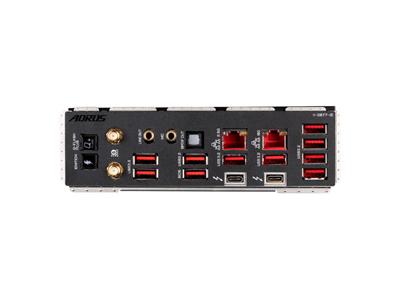
| Back Panel I/O | 2x Thunderbolt 4 (40Gbps) / USB 3.2 Gen 2 (10Gbps) Type-C Combo ports w/ DisplayPort v1.4 via Alt Display Mode 10x USB 3.2 Gen 2 (10Gbps) Type-A ports (red) 1x RJ-45 10Gbe LAN port 1x RJ-45 2.5Gbe LAN port1x Optical S/PDIF Out connector 2x 3.5mm Audio jacks 2x SMA Antenna connectors (2T2R)1x Q-Flash Plus Button 1x OC Ignition Button |
| Internal I/O Connectors | 1x 24-pin ATX Main Power connector 2x 8-pin ATX 12V Power connectors 1x CPU Fan header 1x Water Cooling CPU Fan header 4x System Fan headers 4x System Fan / Water Cooling Pump headers1x Noise Detection header 2x ARGB and RGB Integrated Extension Cable Headers1x M.2 connector PCIe 5.0 x4 25110 / 2280 (M2C_CPU) 3x M.2 connectors PCIe 4.0 x4 22110/2280 (M2A_CPU, M2P_SB, M2Q_SB) 1x M.2 connector SATA / PCIe 4.0 x4 2280/2260 (M2M_SB) 4x SATA 6Gb/s connectors 1x Front Panel header1x USB 3.2 Gen 2×2 (20Gbps) Type-C port via 1x internal USB header 4x USB 3.2 Gen 1 (5Gbps) ports via 2x internal USB headers 4x USB 2.0 (480Mbps) / 1.1 ports via 2x internal USB headers 2x Temperature Sensor headers 1x Clear CMOS Button |
| I/O Controller | iTE® I/O Controller Chip |
| H/W Monitoring | Voltage Detection Temperature Detection Fan speed Detection Water Cooling Flow Rate Detection Fan Fail Warning Fan Speed Control * Whether the fan (pump) speed control function is supported will depend on the fan (pump) you install. Noise Detection |
| Unique Features | GIGABYTE Control Center* * Available applications in GCC may vary by motherboard model. Supported functions of each application may also vary depending on motherboard specifications. Q-Flash Q-Flash Plus Smart Backup |
| Bundled Software | Norton® Internet Security (OEM) LAN Bandwidth Management Software |
| BIOS | 1x 256Mb Flash Use of licensed AMI UEFI BIOS PnP 1.0a, DMI 2.7, WfM 2.0, SM BIOS 2.7, ACPI 5.0 |
| Form Factor | E-ATX Form Factor |
| Dimensions (LxW) | 305 x 285mm |
| Weight | N/A |
Additional information
| CPU Socket Type | |
|---|---|
| CPU Cooling Socket Support | |
| Memory Type | |
| Motherboard Brand | |
| Motherboard Category | |
| Motherboard Chipset | |
| Form Factor | |
| Motherboard Socket Type | |
| Motherboard Form Factor | |
| Motherboard Ram Support |


Reviews
There are no reviews yet.